PXP Control Cockpit

PXP Control Cockpit – Real-time dashboard for your PXP platform – Control over PIM, DAM, CMS & Commerce

The PXP Control Cockpit simplifies and automates many routine tasks in the PIM system – even for users without PIM expertise or a PIM licence. This saves considerable time and money while improving the quality of results. Whether it's maintaining product data, exports and imports, quality assurance, data synchronisation with other systems or initiating publications – these and other routine tasks in the PIM system and connected systems such as MAM, DAM or ERP often involve a great deal of effort for PIM users and PIM managers. PIM users from marketing are often dependent on the support of technical PIM managers, which leads to delays for the former and a high workload for the latter. In addition, even occasional users need an expensive PIM licence. In all these cases, the PXP Control Cockpit, as an add-on to your PIM system, provides a remedy with its intuitive usability and cleverly designed solutions. Its modular design makes it highly attractive in terms of price, as only the modules that are really needed have to be purchased. These modules are even more affordable in our package deals – and, of course, individual customisations and extensions to suit your needs are possible at any time.

PXP Control Cockpit – Real-time dashboard for your PXP platform – Control over PIM, DAM, CMS & Commerce

Benefits, features, advantages

benefit

✔ Extensive PIM processes can be implemented quickly and easily by the marketing department
✔ Simple, intuitive to use, no PIM knowledge required, no PIM licence required
✔ Technical PIM managers are significantly relieved of their workload
✔ Significant time and cost savings with improved quality thanks to...
✔ Intuitive automation of manual maintenance tasks in PIM
✔ rapid evaluation of distributed data sets, e.g. for data QA
✔ uncomplicated export and import of data
✔ high-performance updating of data and assets between PIM and ERP,
✔ PIM and MAM, etc.
✔ Simple control of extensive publications "on-the-fly"
✔ And much more

Features

✔ Modular structure in service packages with standard functions (currently for viamedici), unlimited customisation and expandability
✔ Modern web application with simple operation
✔ Security through protected login with username and password
✔ Synchronisation of different applications within the company (PIM, MAM, ERP, etc.)
✔ Event-driven MACH architecture, REST microservices optionally accessible from your company applications even without a cockpit
✔ Automated data checking Export and import of customised mass data
✔ Operation via ASP in the INFOLOX cloud

Advantages

✔ No or minimal training required, no licences for PIM systems necessary
✔ Replaces more expensive middleware
✔ Fast results in seconds
✔ Various formats possible: Excel, PDF, CSV, XML, JSON
✔ Increased data quality 
✔ Quickly expandable, customised microservices from ready-made templates
✔ No installation necessary

Example use cases

1 - Data Quality Management: Get a quick overview of attribute values in the PIM

The case 

Marketing needs an overview of the entire product range to see which products do not yet have a product description. Or it needs to determine which products do not yet have a weight specified. Or it needs to check whether the CE mark is specified for all products. It would be very tedious and time-consuming to check all products in the PIM system to see whether the relevant attributes are filled with the desired values. Creating, updating and retrieving the relevant reports in the PIM system is more a task for PIM specialists than for marketing.

The solution with the Control Cockpit

The Control Cockpit is used to simply enter the information required: relevant product groups via the hierarchy level and the attributes whose values are to be output. Within a few seconds, you receive an Excel file with the desired values for the requested hierarchy level. Outputting a list with approx. 10,000 entries takes only around 5 seconds.
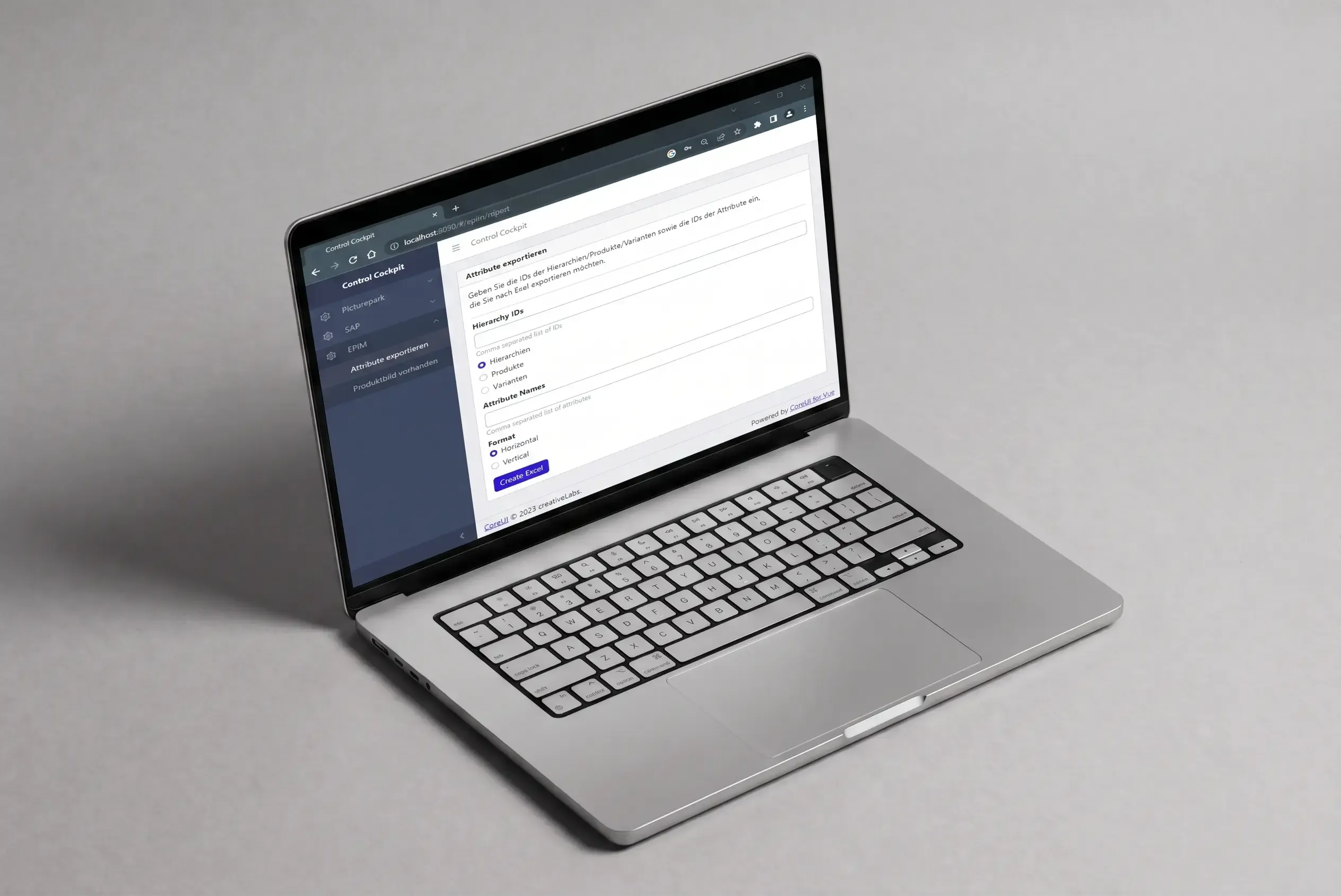
PXP Usecase 01

2 - Automated Data Enhancement: Automatically calculate attribute values and write them back to the PIM

The case 

Various images are maintained for a product in the PIM. There is a set of rules defined by marketing that determines which of the available images is to be used as the main product image. This set of rules can be quite complex. This image must be marked accordingly in the PIM. However, the PIM system is usually not able to automatically apply the underlying logic, so the markings would have to be set manually. With several thousand products and images, however, manual setting is no longer possible and would also be very error-prone.

The solution with the Control Cockpit

Instead of searching for the corresponding images for all products in the PIM and setting the tag manually, a microservice is triggered via the Control Cockpit, which automatically applies the logic defined by marketing and sets the tag automatically. This saves a considerable amount of work while guaranteeing quality.  Another advantage of this approach is that the application logic for setting such tags can be as complex as required, thereby overcoming the limitations of the PIM system, reducing the amount of manual work involved and eliminating associated sources of error. 
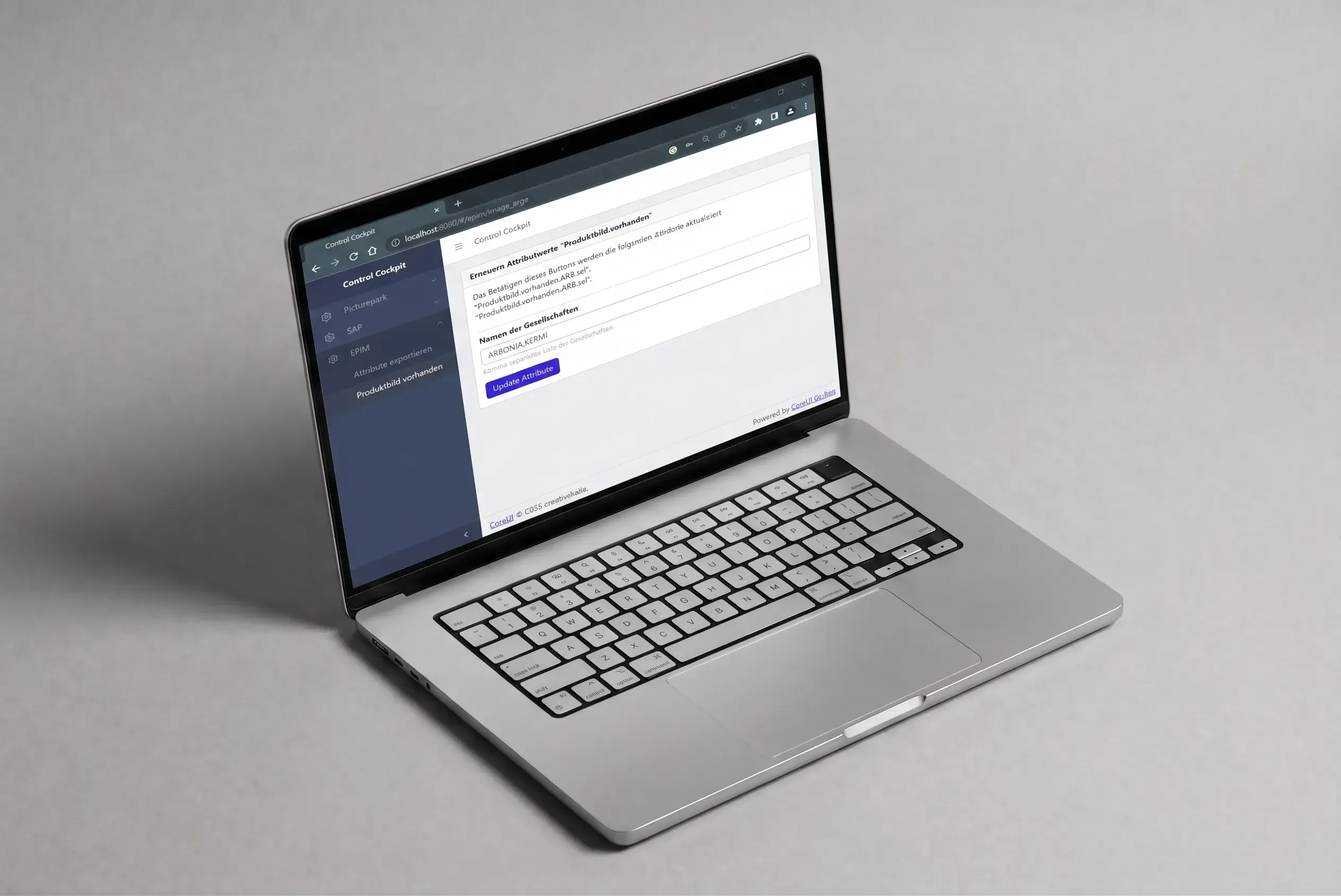
PXP Usecase 02

3 - Automated Data Enhancement: Automate manual maintenance tasks in PIM

The case 

Every day, new items are automatically imported from the ERP system into the PIM. Since there is no hierarchy information in the ERP system, the items are first imported into a general input node. Now the new products – often hundreds of them – have to be moved manually into the appropriate hierarchies. This is very time-consuming and requires specific PIM knowledge.

The solution with the Control Cockpit

Using the Control Cockpit, the marketing team creates an Excel list of the new items at the touch of a button and downloads it from the Cockpit. In this list, the hierarchy levels to which the items are to be moved can be quickly specified using Excel's efficient, simple and familiar drag-and-drop functions. This enriched list is then transferred to the Control Cockpit, also using drag & drop, where a corresponding microservice moves the new items to the specified hierarchy nodes in the PIM in a matter of seconds.
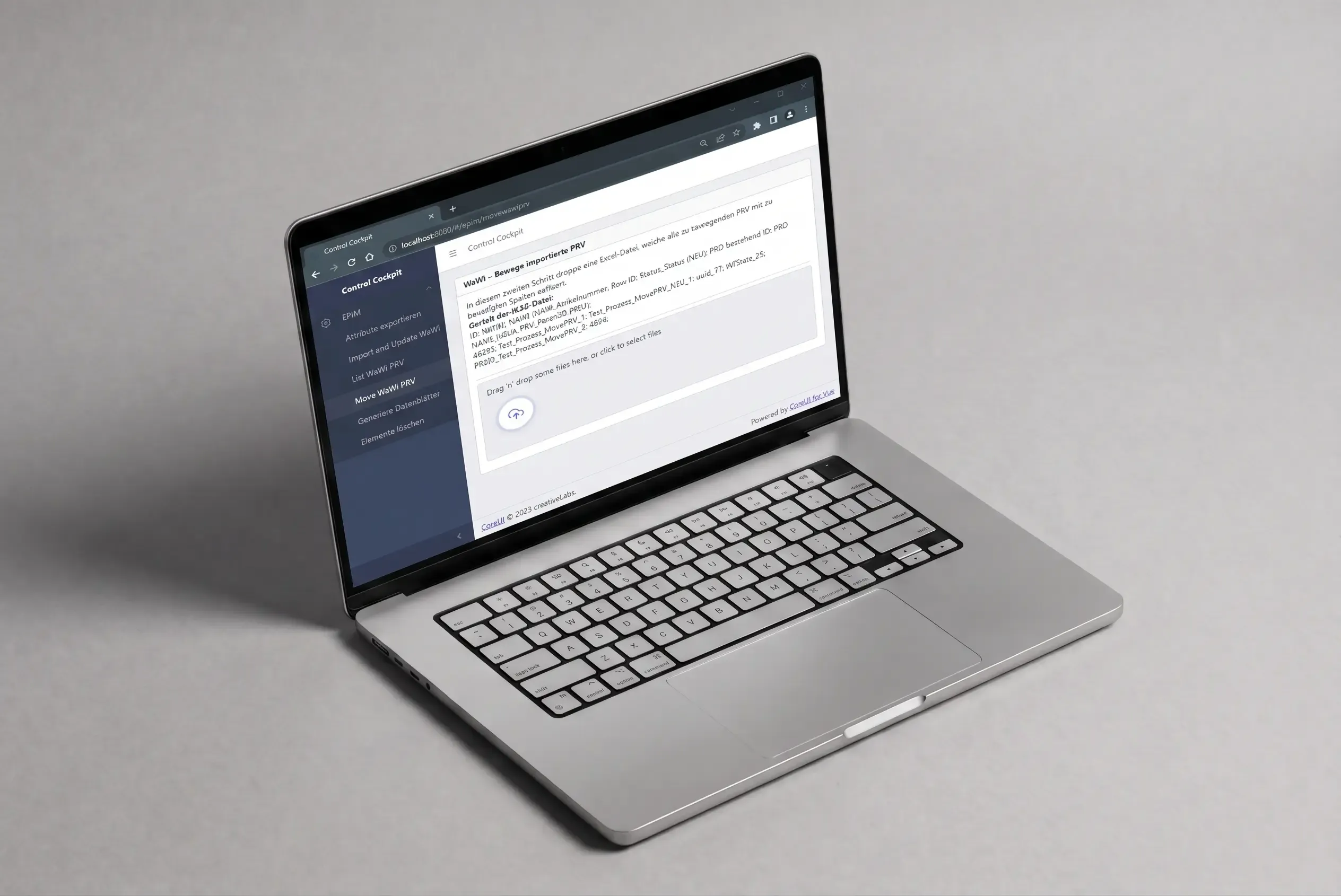
PXP Usecase 03

4 - Data synchronisation: Transfer material data and prices from the ERP to the PIM

The case 

Material data and prices must be transferred from the ERP system to the PIM. In order to retrieve the specific prices required – e.g. market-specific prices – it is necessary to first transfer the relevant parameters from the PIM to the ERP system. A complex logic then dynamically calculates the prices for the specified parameters in the ERP and writes the requested material data and prices back to an intermediate database, from which they can be transferred to the PIM. However, the PIM system cannot send corresponding requests to the ERP as standard, so middleware is required to enable data exchange. In addition, these data transfers must be triggered by the marketing team, who must be able to enter details of the information to be queried. This is also not possible in the PIM system.

The solution with the Control Cockpit

The desired parameters for price and material retrieval are simply entered via the Control Cockpit. At the touch of a button, these parameters are sent to the ERP system, which then calculates the prices. Calculating the prices for over one hundred thousand items takes several hours in SAP, for example. As soon as the ERP has completed the price calculation and written the prices to the intermediate database, it sends a trigger event to the designated microservice of the Control Cockpit. This automatically reads the data into the PIM. At the end of the process, the persons involved are informed of the success by e-mail. A single push of a button in the Control Cockpit is therefore sufficient to retrieve thousands of prices and material data.
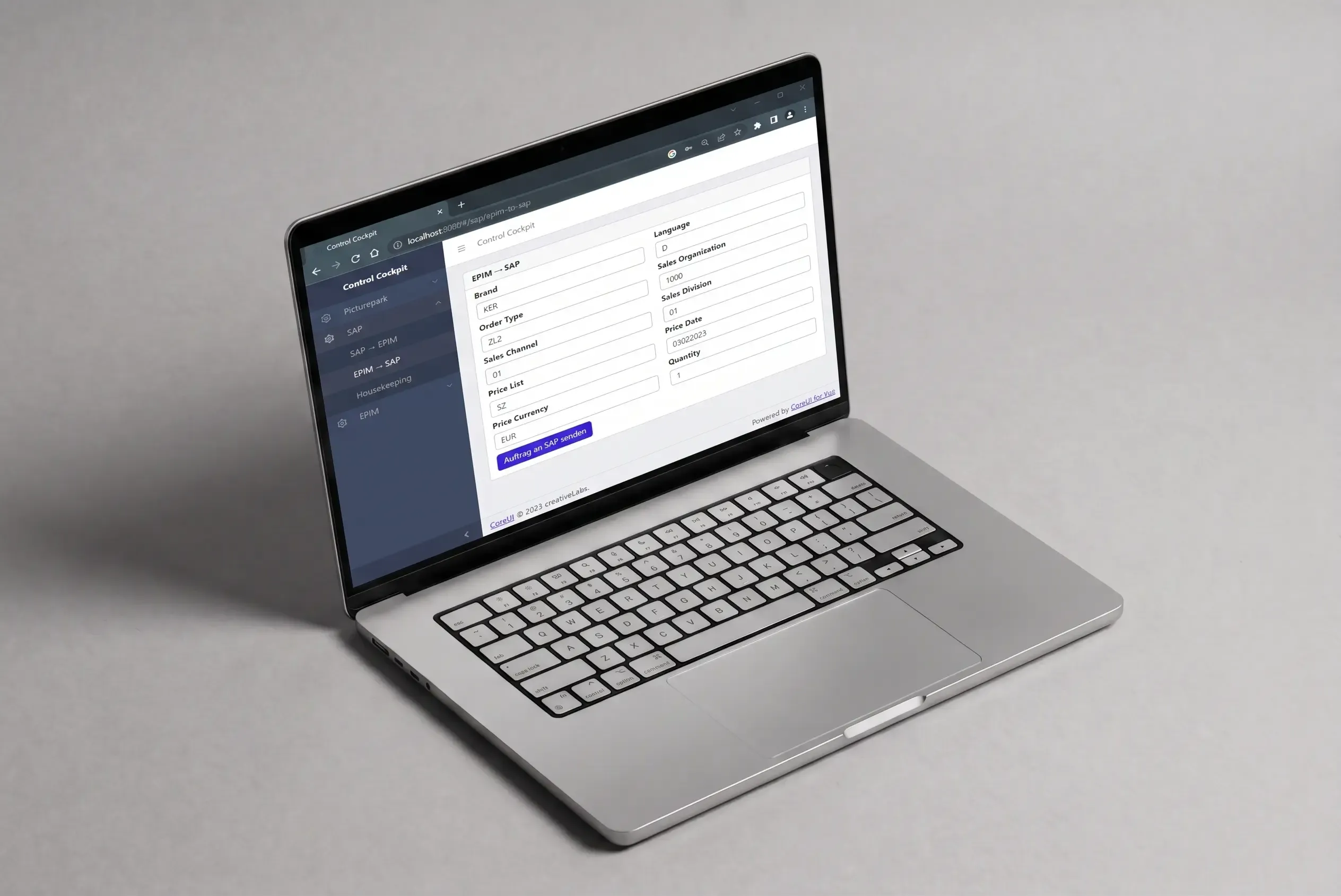
PXP Usecase 04

5 - Data synchronisation: Synchronise media data between MAM and PIM

The case

A media asset management (MAM) system stores all of a company's sales and marketing-related images, documents and videos. The MAM system is the leading system for all media within the company. The corresponding files and their meta information must be transferred to the PIM system in order to assign them to products there and thus enable their use in product catalogues, web shops, apps and print publications. Subsequently, the IDs and assignment data generated in the PIM must be written back to the MAM system so that it is also visible there which images have already been assigned to which products. Most MAM and PIM systems cannot perform the necessary process and data exchange with their "on-board tools".

The solution with the Control Cockpit

The Control Cockpit handles data exchange and process control. Synchronisation can be initiated via the Control Cockpit at the touch of a button. In just a few seconds, the new assets are transferred to the PIM system, where they can be further processed. The names of the products assigned to the assets and the PIM IDs of the assets are then written back from the PIM to the MAM at the touch of another button in the Control Cockpit.
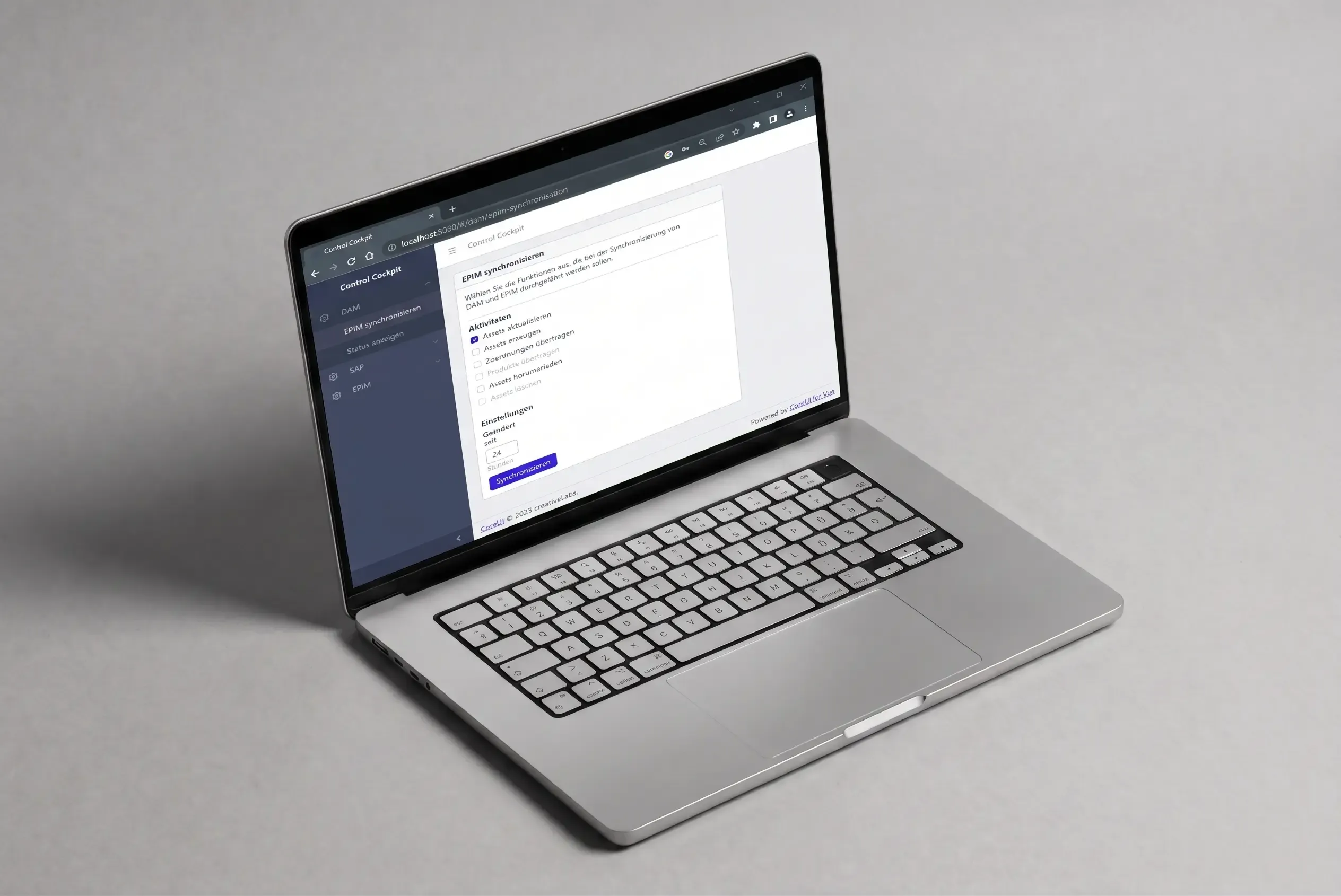
PXP Usecase 05

6 - Generate automatic catalogues with Adobe InDesign

The case

Catalogues must be created automatically in Adobe InDesign from the product data stored in the PIM system. It must be possible to select the required languages, countries and hierarchy levels using parameters. Making this selection in the PIM system is time-consuming and requires the relevant knowledge. The selected products must then be converted into a special data format. This cannot be done by the PIM system.

The solution with the Control Cockpit

The Control Cockpit first facilitates the intuitive selection of products and then controls the necessary process. After selecting the parameters in the cockpit, the data is retrieved from the PIM system and transformed into the required InDesign format. This file is made available for download, downloaded and imported into Adobe InDesign, where a plugin automatically creates the corresponding catalogue pages. With the Control Cockpit, it takes just 45 seconds to retrieve the PIM data and generate around 100 catalogue pages in Adobe InDesign. What makes this solution special is that the Control Cockpit runs in the INFOLOX cloud and the customer does not need to install any software other than the plugin.
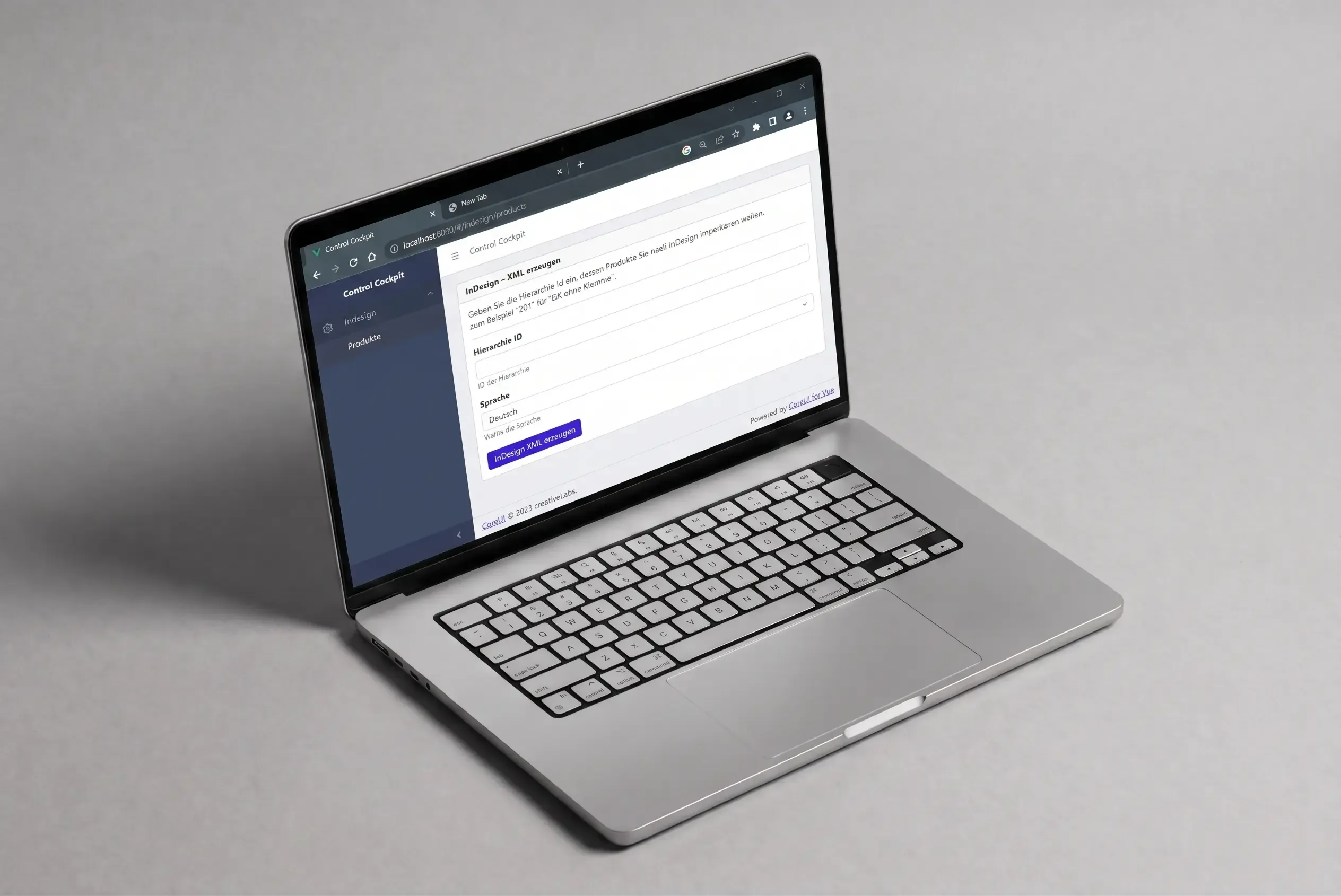
PXP Usecase 06

7 - Print Automation: Generate just-in-time PDF data sheets

The case

Every night, PDF data sheets are automatically generated from the PIM system for the entire product range. During the day, after changes have been made to product data, the corresponding data sheets must be checked immediately before they go into mass production at night. This saves time if corrections to the product data are still necessary. Controlling this process in the PIM system is time-consuming and requires advanced PIM knowledge.

The solution with the Control Cockpit

The Control Cockpit allows you to easily and intuitively select the required hierarchy and language for which the data sheets are to be generated. The same microservice that generates the data sheets at night can be used to generate the corresponding data sheets for review in a matter of seconds and make them available for download in the cockpit. The same microservice can also be used to generate updated data sheets on the fly on the website and make them available for download.
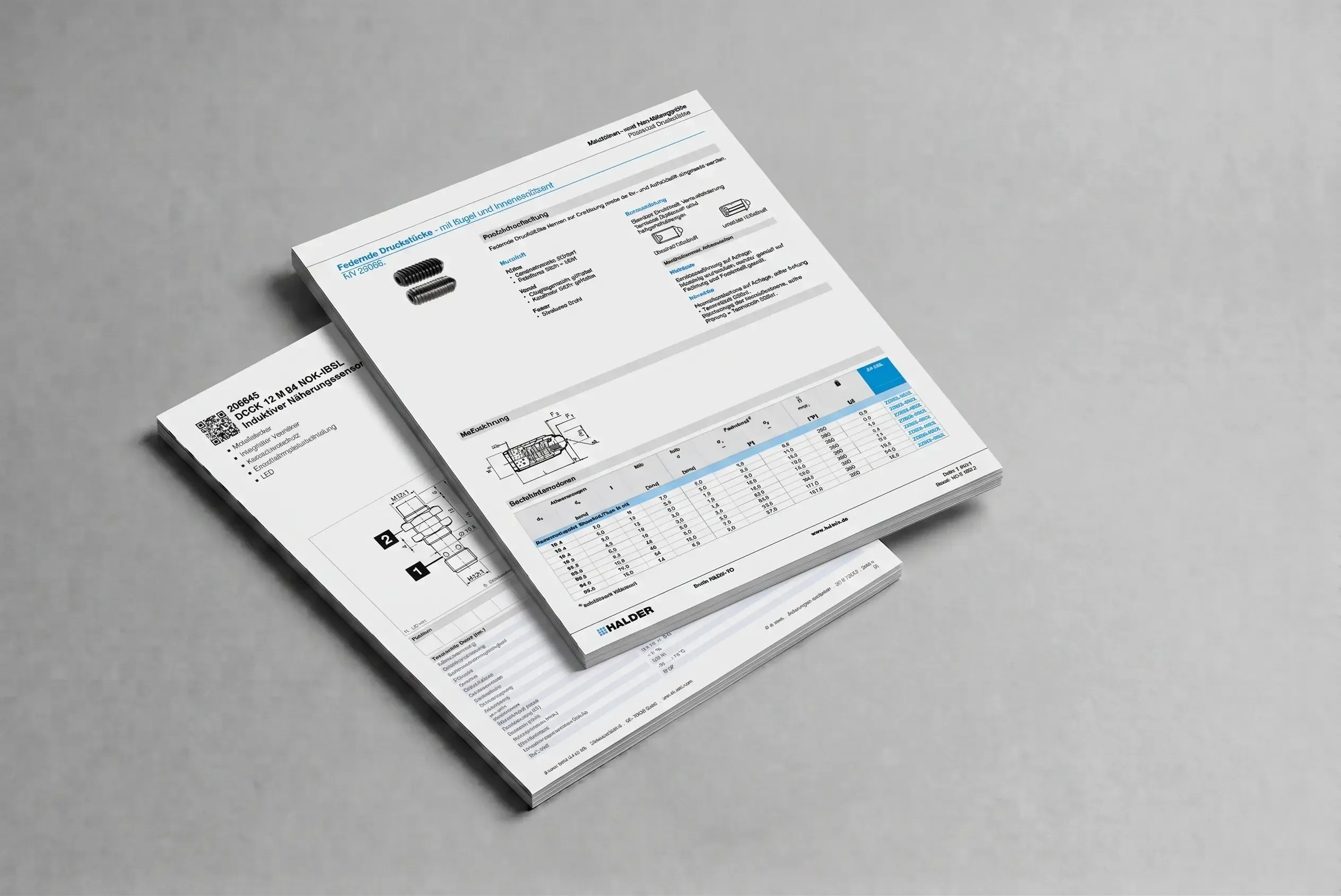
PXP Usecase 07

Minimal input, maximum output: the control centre for your PIM processes from INFOLOX

Google has shown us how it's done. One input field, one click: that's all it takes to trigger complex search logic in the background, developed over many years by hundreds of programmers. This is precisely the approach taken by INFOLOX with its new Control Cockpit: quickly and easily obtain status information from various enterprise applications or trigger business processes without having to familiarise yourself with complex enterprise applications. The basic idea: companies have many different data-holding systems and applications, each with different user groups, e.g. ERP, PIM, DAM, CMS and many more.

The systems can usually only be used with intensive training and are therefore only accessible to administrators and key users. Occasional users who only need a specific data set, export, import or report from time to time – and across multiple systems – are usually faced with an impossible task and are dependent on the goodwill of those "in the know". The Control Cockpit is thus the central hub for all imports, exports, interfaces and data transformations relating to your backend systems, from the PIM/DAM system to integration with typical source and target systems.

1. How exactly does the Control Cockpit work?

The Control Cockpit consists of two parts. The cockpit itself, a standardised web application that provides access to business logic via simple menus and forms, and the business engine, which retrieves the desired data and information and makes it available to the cockpit and the connected systems. The process architecture for the business logic follows the same principle as its user interface: keeping the interfaces as simple as possible so that the Control Cockpit fits seamlessly into the existing application landscape. The business logic itself is made up of small (pre-built) modules (microservices), each of which performs only one specific task and can be easily combined with others. These can be accessed via a defined interface (API) using HTTP calls (cloud) without a user interface (headless). The Control Cockpit follows the MACH architecture principle: microservices, API first, cloud, headless.

2. Headless usage from your applications

It is also possible to call up the implemented microservices without the Control Cockpit. Since the microservices are available as REST APIs, your company applications can also call up these services and display the results in your applications. The front end of the Control Cockpit is therefore only one way of starting the services. The advantage: the implemented business logic is available for all your enterprise applications and can therefore be used in many ways.

3. Cloud oder On-Premise

That is also up to you. Many application systems today have a publicly accessible REST API (HTTP interface) that allows information to be accessed across company boundaries via the internet. In such a scenario, it is possible to provide the Control Cockpit in the cloud. Your employees then access the Control Cockpit on the Internet, start the services and receive the desired information as a download from the Control Cockpit. If such access to your company applications is not possible, we implement the Control Cockpit in the traditional way in your IT environment.

4. But there are already process control systems, so why do we need the Control Cockpit?

Of course, we are familiar with the market for these systems: Apache Nifi, Camunda BPMN, Node-RED, etc., to name just a few. And we also use these systems. The good news is that the Control Cockpit and the above-mentioned systems are not mutually exclusive – on the contrary, they complement each other very well. 

This is because process control systems generally take a very technical approach. The main focus is on the flexible connection of entire process chains. Although care is taken to ensure that these systems can be easily configured via appropriate interfaces, you won't get very far without technical knowledge. The target group is clearly technically savvy administrators who can configure and operate these systems.

Hence the second piece of good news: The Control Cockpit does not compete with existing process control systems. Instead, unlike these systems, its target audience is e-commerce and data managers, marketers and decision-makers who simply do not have the time to familiarise themselves with complex systems and whose tasks include accessing specific information within the company's application landscape quickly and easily.

And now for the third piece of good news: The Control Cockpit can be used to start the flows and complex processes from the above-mentioned process tools, so that the Control Cockpit is used in this network for what it really is: the point at which all other processes are started centrally in order to quickly obtain urgently needed status information without having to deal with complicated technology and considerable prior knowledge.

5. What does a concrete implementation of the Control Cockpit look like?

First, you describe your specific requirements for status and business information that you need from the various application systems at the click of a mouse. We then analyse which interfaces the individual application systems have and how they can be addressed. We then design and implement the required microservices from pre-built and newly created program components. We then make these accessible via the control cockpit. Together, we determine which parameters need to be transferred to a service. In doing so, we take care to keep the number as small as possible and the control cockpit as lean as possible. Authorised users can then access the control cockpit via a central URL address and start the desired processes or retrieve the required application data.

6. In which formats do I receive information from the Control Cockpit?

All common formats such as Excel, CSV, PDF, XML, JSON, etc. are supported. Specific print XMLs can also be used to populate print catalogues in InDesign via the cockpit. In addition to downloading the desired information, it is of course also possible to write the status information obtained back into your company applications if they have the appropriate interfaces. For example, calculated attribute values or status information can be written back to your PIM system, where they are available company-wide. Or you can use the Control Cockpit as a DQI (Data Quality Indicator) component to quickly gain an overview of the quality of certain critical company information.